
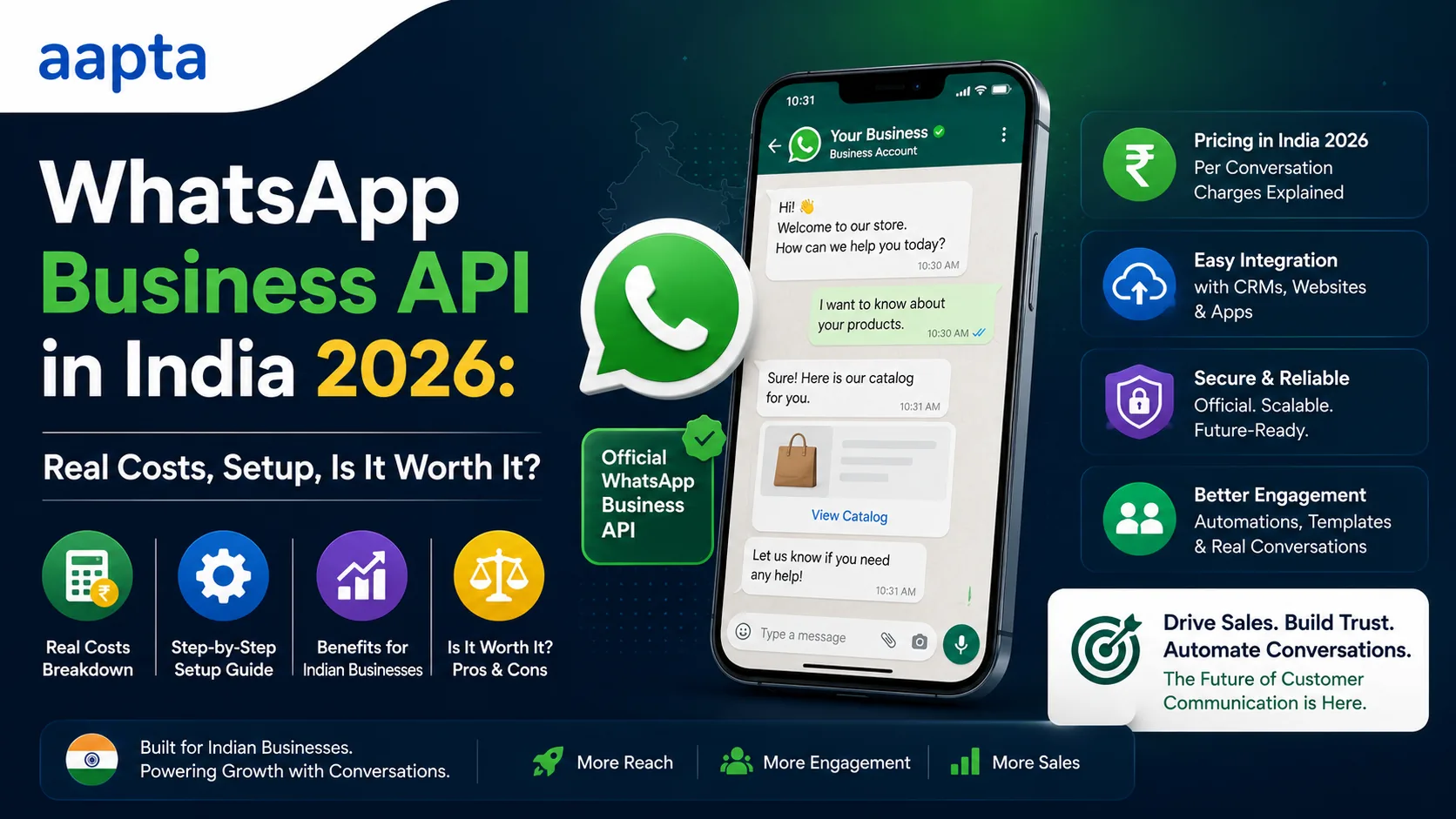
The short answer
The WhatsApp Business API is worth paying for only if you need automation, broadcasts at scale, multiple team members on one number, or a chatbot. If you just want to chat with customers from your phone, the free WhatsApp Business app is enough and you should not pay for the API at all. When you do need it, the real 2026 India costs are: Meta's per-message rates (since July 2025 every template message is billed individually) of roughly ₹0.86 for marketing and about ₹0.12 for utility and authentication messages, plus 18% GST, with service messages free inside a 24-hour window when a customer contacts you first. On top of Meta's charges sits a Business Solution Provider (BSP) platform fee, from around ₹999 to ₹15,000 a month depending on the provider and features. India is the largest WhatsApp market on earth at 535 million users, which is exactly why the API is oversold to businesses that do not yet need it. This guide breaks down the three WhatsApp products, the real costs, the setup, the TRAI and DPDP consent rules, and the one question that tells you which side of the line you are on.
First, the confusion literally everyone has
Almost every WhatsApp question I get from a business owner comes from mixing up three completely different products that share a logo. Sort this out and half the decision makes itself.
| Product | Who it is for | Cost | Automation |
|---|---|---|---|
| WhatsApp Messenger | Personal chats | Free | None |
| WhatsApp Business app | Small businesses, one person, one phone | Free | Basic (quick replies, away messages, catalog) |
| WhatsApp Business API / Platform | Automation, scale, teams, chatbots | Paid (Meta per-message + BSP fee) | Full |
The WhatsApp Business app is the free one you download from the Play Store. It gives you a business profile, a catalog, quick replies, greeting and away messages, and labels. For a huge number of Indian small businesses (a single-location clinic, a boutique, a freelancer, a local service), it is genuinely all you need, and it costs nothing. Its limits are real, though: it runs on one phone with one number, it cannot truly automate, and it cannot send bulk messages or connect to your website and CRM.
The WhatsApp Business API (Meta now calls it the WhatsApp Business Platform) has no app and no chat screen of its own. It is a connection that lets software send and receive WhatsApp messages, which is what unlocks automation, chatbots, broadcasts, multiple agents on one number, and integration with your website, CRM, and tools. You access it through a Business Solution Provider (BSP), a company like AiSensy, Interakt, Wati, or Gupshup that gives you a dashboard on top of Meta's raw API. This is the paid one, and this is what the rest of this guide is about.
What the API actually costs in India (2026)
There are two separate bills, and most sales pitches only show you one.
Bill 1: Meta's per-message charges
Since 1 July 2025, Meta moved from conversation-based pricing to per-delivered-template-message pricing, meaning every template message you send is billed individually. Meta's official WhatsApp pricing sets the rates, and for India as of January 2026 they are roughly:
| Message category | When it applies | Approx. rate (India) |
|---|---|---|
| Marketing | Promotions, offers, newsletters | ~₹0.86 per message |
| Utility | Order updates, reminders, alerts tied to a transaction | ~₹0.12 per message |
| Authentication | OTPs and login codes | ~₹0.12 per message |
| Service | Your reply to a customer who messaged you first, within 24 hours | Free |
Add 18% GST to all of it. The standout number: a customer-service conversation is free. When a customer messages you first, a 24-hour window opens in which your replies cost nothing, and each new message from them resets the window. So the bulk of everyday customer support on WhatsApp is effectively free. You pay mainly when you start the conversation with a marketing or utility template.
For context, WhatsApp utility messages at about ₹0.12 are cheaper than DLT-registered SMS at ₹0.12 to ₹0.25, and WhatsApp authentication OTPs get read at 85 to 95% versus 15 to 25% for SMS, per 2026 India pricing analysis. So for OTPs and order updates, WhatsApp is often both cheaper and far more effective than SMS.
Bill 2: the BSP platform fee
Meta does not sell the API to you directly in a usable form. You go through a BSP, and they charge a monthly platform fee on top of Meta's per-message pass-through. This is the cost nobody quotes upfront, and it varies enormously:
- SMB tiers: roughly ₹999 to ₹2,999 a month for small-business plans with a dashboard, basic automation, and a rule-based chatbot.
- Growth tiers: ₹5,000 to ₹15,000 a month for more agents, deeper automation, and integrations.
- Enterprise: ₹75,000+ for high volume and custom needs.
So the honest all-in monthly cost for a small Indian business getting real value from the API tends to land around ₹2,000 to ₹8,000 a month (BSP fee plus message charges), not the scary ₹30,000-plus figure that gets thrown around, and not free either.
The free windows that cut your bill
Two things quietly reduce what you actually pay, and knowing them changes the maths.
The 24-hour service window. When a customer messages you, you can reply free for 24 hours. Structure your flows so customers initiate more often (a "message us" button, click-to-WhatsApp links) and more of your messaging falls inside this free window.
Click-to-WhatsApp Ads (CTWA). An ad that opens a WhatsApp chat unlocks a 72-hour free messaging window, including marketing messages, which can cut acquisition cost by up to 92% according to the same 2026 analysis. For businesses that advertise, routing ads into WhatsApp rather than a landing page is one of the cheapest acquisition channels available in India right now.
What your actual monthly bill might look like
Rates in a table are abstract. Here is what three real Indian businesses would actually pay, all in, so you can find the one closest to you. All message figures include 18% GST, and service replies are free.
| Business | BSP plan | Messages sent/month | Message cost | All-in monthly |
|---|---|---|---|---|
| Solo clinic or salon | ₹999 | 300 reminders + 150 offers | ~₹195 | ~₹1,200 |
| Growing D2C store | ₹5,000 | 2,000 order updates + 1,000 offers + 500 OTPs | ~₹1,370 | ~₹6,400 |
| Coaching or real estate (broadcast-heavy) | ₹2,999 | 5,000 marketing broadcasts + 500 utility | ~₹5,150 | ~₹8,100 |
Three things jump out of that table. First, the BSP fee is often the bigger line for light users, and the message charges are the bigger line for anyone sending lots of marketing. Second, marketing messages at ₹0.86 are roughly seven times the cost of utility messages at ₹0.12, so the cheapest way to lower your bill is to lean on utility templates (order updates, reminders) and the free service window, and to be selective with marketing broadcasts. Third, even the broadcast-heavy example lands around ₹8,000 a month, a long way from the ₹30,000-plus figure that gets quoted to scare or upsell you.
For a D2C store, most of those messages are automatic order and shipping updates, which is one of the most-loved automations you can run on a WooCommerce store. For a clinic or salon, the reminders slash no-shows and the offers bring people back, and pairing them with automatic Google review requests compounds the return.
How to set it up
The setup is more involved than downloading an app, but a good BSP does most of the heavy lifting. The path:
- Create a Meta Business account and verify your business (you will need GST or business documents).
- Choose a BSP. Compare on the platform fee, the automation features you actually need, and whether they support your CRM and website. Do not pick on message rate alone, because Meta's per-message rates are the same everywhere; the BSP only marks up the platform.
- Pick a phone number that is not already active on the regular WhatsApp or WhatsApp Business app. Once a number is on the API, it leaves the app.
- Verify and get a display name approved by Meta (this becomes your business name in chats).
- Create message templates for your marketing and utility messages and submit them for Meta approval. Templates are pre-approved formats; you cannot send cold marketing without an approved template.
- Connect your tools: website forms, CRM, and an automation engine so messages flow both ways. This is where the API earns its money, and it is exactly WhatsApp workflow number two in our 10 AI automation workflows for Indian SMBs guide.
The rules: TRAI and DPDP consent (do not skip this)
Good news first: unlike SMS, WhatsApp does not require DLT registration. The API operates outside TRAI's DLT framework, so you skip that particular headache.
The catch: TRAI's 2025 TCCCPR amendments and the DPDP Act 2023 make verifiable opt-in consent mandatory before you send any commercial or marketing message on WhatsApp, per 2026 India compliance guidance. In practice that means:
- Get explicit, recorded opt-in before adding anyone to marketing broadcasts (a checkbox at signup, a keyword reply, a form).
- Respect DND and honour opt-outs immediately.
- Keep a record of when and how each contact consented.
Meta also enforces quality ratings. Send unwanted messages, get blocked or reported often, and Meta throttles or bans your number. The businesses that thrive on WhatsApp treat it as a permission channel, not a blast channel. This is the single most common way businesses waste money on the API: they buy it to spam, get their quality rating tanked, and lose the number.
Three ways businesses waste money on the WhatsApp API
Almost every wasted rupee I see on the API traces back to one of these.
- Buying it before you need it. The most common one. A single-owner business on one phone signs up for a ₹5,000-a-month BSP plan and uses none of the automation, when the free WhatsApp Business app would have carried them for another year. Match the tool to your actual volume, not to a sales pitch.
- Sending everything as marketing. Marketing messages cost about seven times what utility messages cost. Businesses that blast every update as a marketing template pay far more than they need to. Order confirmations, reminders, and OTPs are utility messages, and replies to incoming customers are free. Classify your messages correctly and the bill drops sharply.
- Blasting without consent. Buying a contact list and broadcasting to it is the fastest way to tank your quality rating, get throttled, and eventually lose the number, after paying for every message that got you reported. Consent-based, relevant messaging is not just compliance, it is what keeps the channel cheap and alive.
A fourth, quieter one: picking a BSP on message rate. Meta's per-message rates are identical across every BSP, so a provider advertising "lower message rates" is either confused or misleading you. Compare BSPs on their platform fee, the automation and integrations you will actually use, and support quality.
Is it worth it? The honest answer
Here is the one question that decides it: do you need automation, broadcasts at scale, multiple agents on one number, or a chatbot?
Stay on the free WhatsApp Business app if:
- One person handles your WhatsApp from one phone.
- Your volume is low enough to reply by hand.
- You do not need to send bulk updates or connect WhatsApp to your website and CRM.
- You are a single-location business who mostly answers questions and takes bookings by chat.
Move to the paid API if:
- You want incoming leads to auto-reply instantly and flow into a CRM.
- You need several team members answering one business number.
- You send order updates, appointment reminders, or OTPs at volume.
- You want a chatbot to handle common questions (Indian businesses automate 40 to 60% of routine queries this way).
- You run ads and want to route them into WhatsApp for the free 72-hour window.
The businesses that get the most from the API are clinics, ecommerce and D2C brands, coaching and education, real estate, and any service business with more enquiries than one person can answer by hand. The ones who waste money are micro-businesses who were sold the API when the free app would have done the job for another year.
What we would actually recommend
Start honest about where you are. If the free app covers you, use it and save the money. When your enquiries outgrow one phone, move to the API, but do it in the right order: get the API through a solid BSP, wire it into an automation engine so leads auto-reply and land in your CRM, and only then layer on broadcasts and a chatbot. Running the automation on your own hosted engine rather than paying per task keeps the ongoing cost flat as your volume grows, which is the same logic we laid out for AI automation setups. WhatsApp is your highest-intent channel in India; the goal is to make it work harder without turning it into a cost centre or a spam complaint.
If you want a hand choosing a BSP, setting up templates and consent properly, or connecting WhatsApp to your website and CRM, tell us what you are trying to do and we will scope it honestly, including telling you if you do not need the API yet.
FAQ
Do I need the WhatsApp Business API, or is the free app enough?
The free WhatsApp Business app is enough if one person handles your WhatsApp from one phone and you do not need automation, bulk messaging, or CRM integration. You need the paid API only when you want auto-replies, broadcasts at scale, multiple agents on one number, or a chatbot. Most micro-businesses are sold the API before they actually need it.
How much does the WhatsApp Business API cost in India in 2026?
Two costs. Meta's per-message rates (since July 2025, per delivered template message): about ₹0.86 for marketing and about ₹0.12 for utility and authentication, plus 18% GST, with customer-service replies free inside a 24-hour window. On top, a BSP platform fee from roughly ₹999 to ₹15,000 a month. A small business getting real value typically spends around ₹2,000 to ₹8,000 a month all in.
Are customer service messages on WhatsApp really free?
Yes. When a customer messages you first, a 24-hour service window opens in which your replies cost nothing, and each new message from them resets it. You mainly pay when you start the conversation with a marketing or utility template. This makes everyday support on WhatsApp effectively free.
Do I need DLT registration for WhatsApp like I do for SMS?
No. WhatsApp operates outside TRAI's DLT framework, so no DLT registration is needed. However, TRAI's 2025 amendments and the DPDP Act 2023 make verifiable opt-in consent mandatory before sending marketing messages, and you must respect DND and honour opt-outs.
What is a BSP and do I have to use one?
A BSP (Business Solution Provider) is a company like AiSensy, Interakt, Wati, or Gupshup that gives you a usable dashboard on top of Meta's raw API. For practical purposes yes, you access the API through a BSP. Meta's per-message rates are the same across BSPs, so compare them on platform fee, features, and integrations, not message price.
Is WhatsApp cheaper than SMS for OTPs and order updates?
Usually. WhatsApp authentication and utility messages cost about ₹0.12 versus DLT-registered SMS at ₹0.12 to ₹0.25, and WhatsApp gets read at 85 to 95% versus 15 to 25% for SMS. So the effective cost per message that is actually seen is much lower on WhatsApp.
How do I avoid getting my WhatsApp number banned?
Only message people who opted in, keep marketing relevant, honour opt-outs immediately, and never buy or blast to purchased lists. Meta rates your quality based on how people respond; too many blocks or reports and your number gets throttled or banned. Treat WhatsApp as a permission channel, not a broadcast blaster.
Can I connect the WhatsApp API to my website and CRM?
Yes, that is the main reason to use the API. Through your BSP and an automation engine you can auto-reply to enquiries, push leads into a CRM like Zoho or HubSpot, send order and appointment updates, and run a chatbot. Connecting WhatsApp to your website and CRM is one of the highest-ROI automations an Indian business can set up.
About the author
Dharmendra Asimi is the founder of Aapta Solutions, established in 2007 and now serving SMBs and growing brands across India, the United States, and the United Kingdom. Over the past twenty years he has shipped WordPress builds, e-commerce stores, managed cloud hosting, and SEO programmes for hundreds of businesses (from single-product Shopify stores to multi-region WordPress estates handling Black Friday peaks).
He is the creator of Aapta GEO (a free 30-second AI-readiness scan) and Aapta SEO AI (a monthly tracker for how ChatGPT, Claude, Perplexity, and Gemini cite your content). His writing on web engineering and AI-search visibility is read by founders, marketing teams, and SEO managers across three time zones.
Areas of expertise: WordPress development at scale · managed cloud hosting (AWS, GCP, Azure, Cloudflare) · technical SEO · Generative Engine Optimization (GEO) · AI-search citation tracking · ecommerce architecture across WooCommerce, SureCart, Shopify, and Magento · Site Reliability Engineering for content platforms · brand strategy and visual identity.
Connect: LinkedIn · X · Instagram · personal site · About page · Contact Aapta
This article is maintained as part of Aapta's content quality programme. If any data point looks stale or incorrect next time you read this, tell us and we will verify and update within 48 hours.
Need help with this?
Our team has 19+ years of experience and can help you implement everything discussed in this article.
Book a Discovery Call