
The short answer
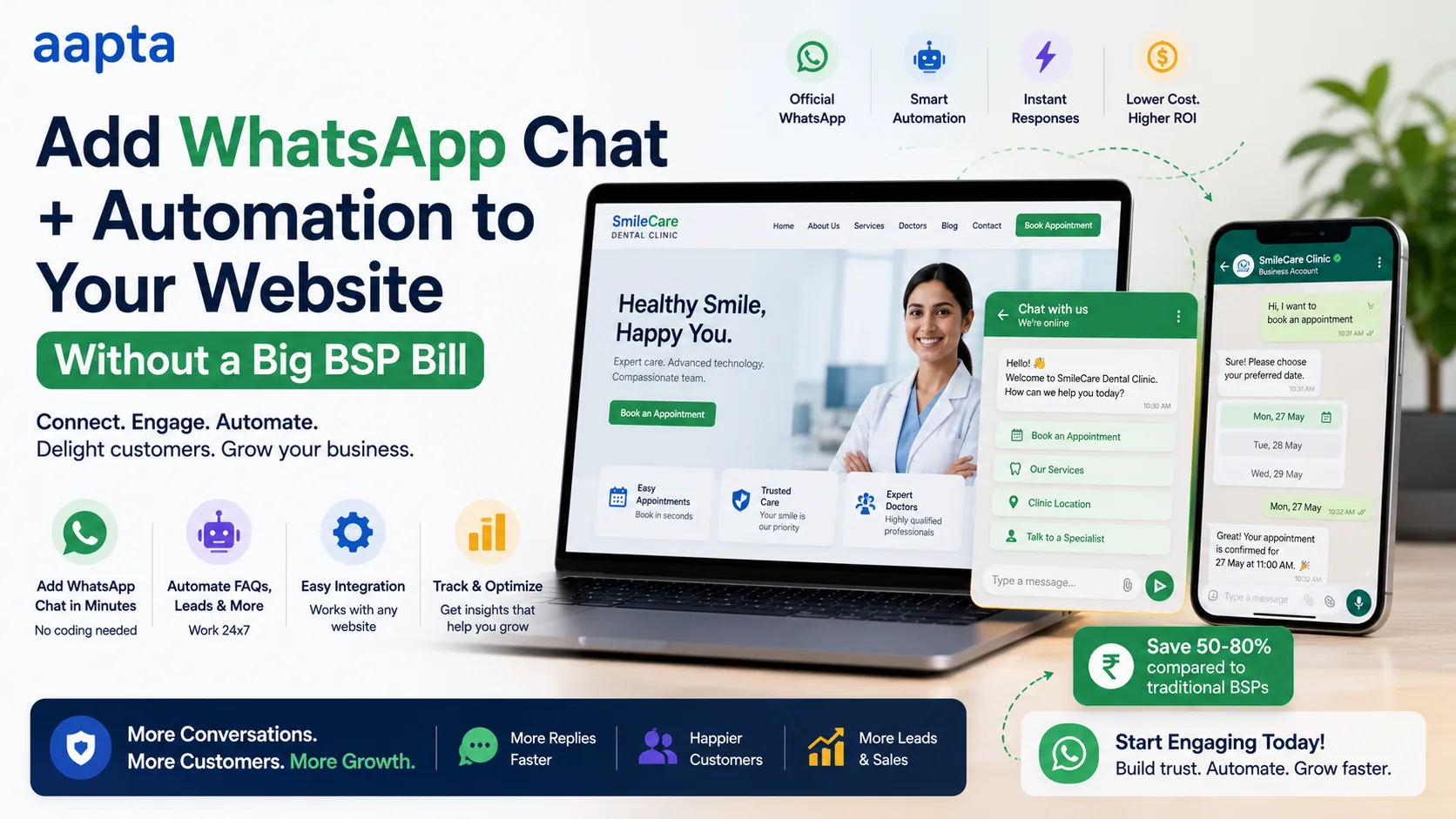
You do not need an expensive BSP (Business Solution Provider) subscription to put WhatsApp on your website. Adding a WhatsApp chat button is completely free: a click-to-chat link opens WhatsApp with your number and a pre-filled message, no API and no monthly fee. And real automation, auto-replies, lead capture into your CRM, order updates, an FAQ bot, runs on Meta's WhatsApp Cloud API, which any verified business can access directly with no BSP platform fee. Meta hosts the Cloud API on its own servers, charges only per-message rates, and there is no license fee or contract, per 2026 Cloud API guidance. Connect that Cloud API to your own automation engine, such as self-hosted n8n, and you get full automation without a monthly BSP markup. A BSP is a convenience layer with a dashboard and support, worth paying for if you are non-technical, but it is not a requirement. This guide walks the full spectrum of options, the real costs, and how to add WhatsApp to your site cheaply.
The confusion that gets people overcharged
"I want WhatsApp on my website" and "I need to buy a WhatsApp BSP" are treated as the same thing, and they are not. That confusion is how businesses end up paying a monthly platform fee for something a free button would have done.
There is a whole spectrum of ways to put WhatsApp on your site, from free to fully managed. Here it is, cheapest first.
| Option | What it does | Monthly platform fee | Best for |
|---|---|---|---|
| Click-to-chat button | A tap opens WhatsApp with your number | ₹0 | Most small businesses |
| Cloud API direct + your own automation | Auto-replies, lead capture, order updates, bots | ₹0 platform fee (pay Meta per message) | Businesses wanting automation without a markup |
| BSP | The above plus a ready dashboard, agents, support | ₹999 to ₹15,000+ | Non-technical teams wanting convenience |
| Evolution API (unofficial) | Programmatic WhatsApp via web emulation | ₹0 software (needs a server) | Advanced, risk-tolerant use only |
Most businesses land in the first or second row and never need to pay a BSP platform fee. Let us go through each.
Option 1: The free click-to-chat button
This is the one almost everyone can use, and it costs nothing. A click-to-chat link uses WhatsApp's own wa.me format: a link like wa.me/91XXXXXXXXXX?text=Hi opens WhatsApp (on phone or web) with your number loaded and a message pre-filled. Put it behind a button or a floating WhatsApp icon on your website and you are done.
What it gives you:
- A tappable "Chat on WhatsApp" button anywhere on your site.
- A floating WhatsApp bubble in the corner, the pattern people now expect.
- A pre-filled message so the customer does not have to think about what to say.
- Zero cost, zero API, zero BSP, zero monthly fee.
What it does not give you: automation. It opens a normal chat that a human answers. For a single-location clinic, a boutique, a freelancer, or any business where a person replies to WhatsApp anyway, this is genuinely all you need, and paying a BSP for it would be pure waste. We add this to almost every WordPress site we build as standard.
Step by step: add the free button to your website
Because this is the option most businesses actually need, here is exactly how to do it.
- Write your number in international format, with the country code and no plus sign or spaces. For an Indian number that is
91followed by the ten digits, for example919000000000. - Build the link. The format is
https://wa.me/919000000000?text=followed by your pre-filled message, URL-encoded. So "Hi, I would like to know more" becomeshttps://wa.me/919000000000?text=Hi%2C%20I%20would%20like%20to%20know%20more. - Add it to your site. Either as a normal button or link on your contact and service pages, or as a floating WhatsApp bubble fixed to the bottom corner, which is the pattern visitors now expect and the one that gets the most taps.
- On WordPress, you can use a free plugin like Click to Chat, or hand-code the button for a lighter, faster site. We hand-code it, because a plugin for something this simple is unnecessary weight, in keeping with how we build without bloated page builders.
- Pre-fill smart messages per page. On a product page, pre-fill "I am interested in [product]". On a booking page, "I would like to book an appointment". The pre-filled text tells you where the customer came from and lowers the effort for them to start.
- Test on both mobile and desktop. On a phone it opens the WhatsApp app; on a desktop it opens WhatsApp Web. Make sure both work before you rely on it.
That is the entire free setup. No account beyond your normal WhatsApp, no API, no BSP, no monthly cost.
Option 2: Cloud API direct, no BSP fee
When you want real automation, auto-reply to first messages, capture leads into a CRM, send order or appointment updates, run an FAQ bot, you need the WhatsApp API. The key fact that saves you money: you can access Meta's WhatsApp Cloud API directly, without a BSP.
Any business with a verified Meta Business Account can integrate directly. The Cloud API is hosted by Meta on its own servers, it is free to access, there is no platform license fee, no hosting cost, and no contract. You pay only Meta's per-message rates, the same rates every BSP passes through anyway, which we detailed in our WhatsApp Business API cost guide.
What you need to run it without a BSP:
- A verified Meta Business Account and a phone number not already on the regular WhatsApp app.
- Message templates created and submitted for Meta approval (same as with a BSP).
- An automation engine to connect it to your website, CRM, and logic. Self-hosted n8n is the natural fit: it connects to the Cloud API with standard HTTP requests, so you build each flow yourself and pay no per-task tool fee. This is exactly the setup from our self-hosted n8n guide.
One 2026 note: Meta retired the old self-hosted On-Premises WhatsApp API in late 2025, so you cannot host WhatsApp itself anymore. You do not need to. The Cloud API is Meta-hosted and free to access; the only thing you self-host is your automation engine on top of it.
The tradeoff is that the direct route needs a developer to set up (or someone to do it for you), because you are working with Meta's API rather than a friendly dashboard. What you get for that is automation with no monthly BSP fee, ever.
Option 3: Evolution API (only if you know the risk)
You may see the open-source Evolution API recommended as a totally free way to automate WhatsApp. It works by emulating the WhatsApp Web protocol, so it needs no business verification and no template approval, and the software is free (you host it on a server).
Be honest with yourself about the catch. Because it is unofficial and emulates WhatsApp Web rather than using Meta's sanctioned API, it carries a real risk of your number being banned by WhatsApp. That is fine for a low-stakes internal tool or an experiment. It is a bad bet for the number your business depends on. For anything customer-facing and important, use the official Cloud API. I mention Evolution only so you know what it is when someone suggests it.
The real cost comparison
Here is what each route actually costs, so the choice is clear.
| Route | Setup | Monthly | Notes |
|---|---|---|---|
| Click-to-chat button | Small one-time | ₹0 | Free forever, no automation |
| Cloud API direct + self-hosted n8n | One-time setup | ~₹1,500 (your server) + Meta per-message | Full automation, no platform fee |
| BSP | Often ₹0 | ₹999 to ₹15,000+ platform fee + Meta per-message | Convenience, dashboard, support |
The pattern is clear. The button is free. The Cloud-API-plus-n8n route costs you a small server and Meta's per-message rates, with no recurring platform markup. The BSP adds a monthly platform fee on top of the same message rates, in exchange for a ready-made dashboard and support. You are paying the BSP for convenience, not for access.
What automation you can build without a BSP
With the Cloud API and your own automation engine, you can build essentially everything a BSP offers:
- Auto-reply to first messages with your hours, location, and a menu.
- Lead capture: a website enquiry or WhatsApp message flows into your CRM and pings your team.
- Order and shipping updates pulled from your store and courier, sent automatically.
- Appointment reminders that cut no-shows.
- An FAQ or menu bot that answers common questions and routes the rest to a human.
- Review requests after a purchase or visit.
These are the same high-value flows from our 10 automation workflows guide. The capability is not what you buy from a BSP; the dashboard and support are. If you have someone to build and run the automation, you do not need to rent the capability by the month.
The mistakes businesses make adding WhatsApp
A few avoidable errors show up again and again.
- Paying a BSP for what a button does. The most common one. If all you want is for customers to reach you on WhatsApp, a free click-to-chat button does it. Do not sign up for a monthly platform fee to get a feature that costs nothing.
- Listing only a phone number. Putting your number in text and expecting people to save it and open WhatsApp themselves loses most of them. A tappable button that opens the chat directly converts far better than a number they have to copy.
- No pre-filled message. An empty chat makes the customer think of what to say, which adds friction. A pre-filled "Hi, I would like to know more about [thing]" removes that hesitation and tells you the context.
- Trying to keep the API number on the app. Once a number moves to the WhatsApp Business API, it leaves the WhatsApp Business app; the two cannot share a number. Use a separate number for the API so your everyday app number keeps working.
- Broadcasting without consent. Whether you go BSP or direct, marketing to people who did not opt in tanks your quality rating and risks a ban. Consent is not just compliance, it is what keeps the channel working, as we explained in the WhatsApp cost guide.
None of these is expensive to get right, and each one quietly costs businesses either money or customers when it is ignored.
When a BSP is genuinely worth it
This is not an anti-BSP article. BSPs are good products and the right choice for some businesses. Pay for one when:
- You are non-technical and want a ready dashboard. A good BSP gives you a clean interface to broadcast, manage templates, and see conversations without touching an API. For a team that just wants to log in and message, that is worth the fee.
- You need multiple agents on one number, out of the box. BSPs handle shared team inboxes cleanly.
- You want support and someone to call. With the direct route, you own the setup and the problems. A BSP gives you a vendor to lean on.
- You have no developer and do not want to hire the setup. If nobody can wire up the Cloud API, a BSP is the practical path.
The honest rule: if you value a ready-made dashboard and support more than the monthly saving, use a BSP. If you have technical help (in-house or an agency) and want no recurring platform fee, go Cloud API direct.
How to decide, quickly
- You just want customers to reach you on WhatsApp: free click-to-chat button. Done.
- You want automation and you are non-technical with no dev help: a BSP is the practical choice.
- You want automation without a monthly platform fee, and you have technical help: Cloud API direct plus self-hosted n8n.
- You are advanced and risk-tolerant for a non-critical number: Evolution API, eyes open.
What we would set up
For most businesses we work with, the answer is a combination: a free click-to-chat button on the website for instant human contact, plus the Cloud API connected to a self-hosted n8n instance for the automation, hosted on managed Indian cloud so there is no server to babysit and no recurring BSP platform fee. You get the button, the automation, and the data residency, and your only ongoing WhatsApp costs are the small server and Meta's per-message rates. It is the setup that gives you the most for the least, which is the whole point.
The button alone often pays back within days, because instant WhatsApp contact converts far more enquiries than a phone number or a contact form that sits unanswered. Start there, add the automation when the volume justifies it, and never pay a platform fee for capability you can own outright.
If you want WhatsApp on your website done this way, tell us what you need it to do and we will set up the button, the Cloud API, and the automation for you, with no monthly BSP bill. The automation engine behind it is covered in our n8n guide, and the full WhatsApp cost picture is in our WhatsApp Business API guide.
FAQ
Can I add WhatsApp to my website for free?
Yes. A click-to-chat button using WhatsApp's wa.me link format is completely free. It opens WhatsApp with your number and a pre-filled message when tapped, needs no API and no BSP, and has no monthly fee. For many small businesses where a person answers WhatsApp anyway, this is all you need.
Do I need a BSP to use the WhatsApp API?
No. Any business with a verified Meta Business Account can access Meta's WhatsApp Cloud API directly, with no BSP. Meta hosts it, there is no platform license fee, and you pay only per-message rates. A BSP adds a dashboard and support on top for a monthly fee, but it is a convenience, not a requirement.
What is the difference between the Cloud API and a BSP?
The Cloud API is Meta's actual API, free to access directly. A BSP is a company that wraps that API in a dashboard and support and charges a monthly platform fee. The message rates are the same either way, because BSPs pass through Meta's rates. You pay a BSP for convenience, not for access.
How do I automate WhatsApp without paying a BSP?
Access the Cloud API directly, then connect it to your own automation engine such as self-hosted n8n, which talks to the Cloud API with standard HTTP requests. You build each flow yourself and pay no per-task or platform fee, only your small server cost and Meta's per-message rates. This gives you the same automation a BSP offers without the monthly markup.
Can I still self-host the WhatsApp API itself?
No. Meta retired the self-hosted On-Premises WhatsApp API in late 2025. The free route now is Meta's hosted Cloud API, which is free to access, plus your own self-hosted automation engine on top of it. You self-host the automation, not WhatsApp itself.
Is Evolution API a safe way to get free WhatsApp automation?
Only for non-critical use. Evolution API is free open-source software, but it emulates WhatsApp Web rather than using Meta's official API, which risks your number being banned. It is fine for a low-stakes internal tool, but a poor choice for the WhatsApp number your business depends on. For anything important, use the official Cloud API.
How much does the Cloud-API-plus-n8n setup cost to run?
Your ongoing costs are a small cloud server for the automation engine, roughly ₹1,500 a month, plus Meta's per-message rates (about ₹0.86 for marketing, ₹0.12 for utility, free for customer-service replies). There is no platform fee. Compared with a BSP charging ₹999 to ₹15,000 a month on top of the same message rates, it is much cheaper at any real volume.
Should a non-technical business owner do this themselves?
Probably not the Cloud API route unaided. The free click-to-chat button is easy for anyone. But wiring up the Cloud API and an automation engine needs technical help, so a non-technical owner should either use a BSP for convenience or have an agency set up the direct route once, after which it just runs.
About the author
Dharmendra Asimi is the founder of Aapta Solutions, established in 2007 and now serving SMBs and growing brands across India, the United States, and the United Kingdom. Over the past twenty years he has shipped WordPress builds, e-commerce stores, managed cloud hosting, and SEO programmes for hundreds of businesses (from single-product Shopify stores to multi-region WordPress estates handling Black Friday peaks).
He is the creator of Aapta GEO (a free 30-second AI-readiness scan) and Aapta SEO AI (a monthly tracker for how ChatGPT, Claude, Perplexity, and Gemini cite your content). His writing on web engineering and AI-search visibility is read by founders, marketing teams, and SEO managers across three time zones.
Areas of expertise: WordPress development at scale · managed cloud hosting (AWS, GCP, Azure, Cloudflare) · technical SEO · Generative Engine Optimization (GEO) · AI-search citation tracking · ecommerce architecture across WooCommerce, SureCart, Shopify, and Magento · Site Reliability Engineering for content platforms · brand strategy and visual identity.
Connect: LinkedIn · X · Instagram · personal site · About page · Contact Aapta
This article is maintained as part of Aapta's content quality programme. If any data point looks stale or incorrect next time you read this, tell us and we will verify and update within 48 hours.
Need help with this?
Our team has 19+ years of experience and can help you implement everything discussed in this article.
Book a Discovery Call